
Dead Space never put its health bar on the screen. It ran down the back of Isaac Clarke's suit, a column of light along his spine, with the stasis gauge right beside it, and you read both over his shoulder for the whole game. No HUD at all. EA Redwood Shores shipped that in 2008, and it is still one of the best interface calls any game has made.
GamingNovember 9, 2026
The Free Dead Space VR Mod Moves Isaac's Health Bar From His Spine to Your Forearm
By Evan Marcus
Co-Founder, VR.org
Advertisement
It has one problem in VR. You cannot see your own spine.
Talemann's answer is to move both onto your right forearm, "just like the RIGcom," as the feature list for his free Dead Space VR mod puts it. Your inventory opens when you touch a watch on your wrist, and audio logs and video calls come out of that same watch. Small call. Correct call. Most of the mod reads like that.
Version 1.0 went up on November 7. Version 1.1 followed the next day, and 1.2 landed on Monday, so that is three builds in three days. It runs the original 2008 game, the one I played, not the 2023 remake, and it needs your own copy from Steam or GOG.
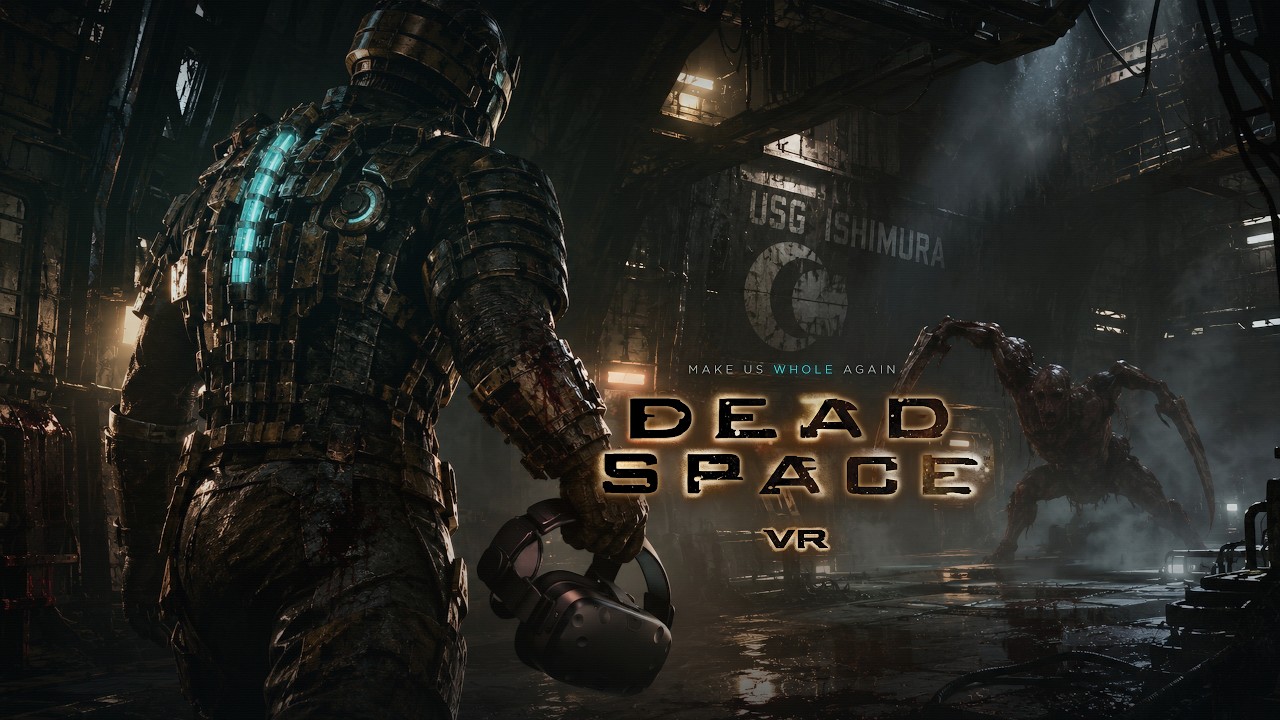
Stasis in your palm
Dead Space was always a game about aiming at elbows. EA's term was strategic dismemberment: a necromorph barely cares about a shot to the chest, so you take the limbs off. Doing that with your actual wrist instead of a thumbstick is the whole pitch, and everything else builds out from it.
Every weapon keeps its alternate fire, toggled by clicking the right stick while you aim, and the ammo display on the gun reads ALT while it is on. Bring your left hand up to a long gun like the pulse rifle and it grabs on for two-handed aiming. Guns live in a holster at your hip, where the game's weapon menu opens when you reach for it, and medkits ride on your left hip. Recoil comes in three strengths. You can melee by swinging the right controller. The stomp is in there too.
Stasis and kinesis both sit in your left hand. Hold the left trigger and a force field charges in your palm with an aiming beam, then let go to fire it. Hold too long and the glove turns red and the shot fizzles. Kinesis puts an orb in your palm instead: point it at something, grab with the grip, throw with the trigger. Doors, save stations, elevators, the store and the bench all work by touching their holograms.
The one thing you will try and fail to do is crouch. "Isaac can't crouch," the feature list says, "he can't in the original game either." Fair enough.

The settings I would open first
Movement comes off the stick. I default to teleport in any game that offers it, because smooth stick walking gets to my stomach quickly, so the comfort menu is where I would start. There is no teleport here. What there is: snap turning in 30, 45, 60 or 90 degree steps, which as of Monday's 1.2 also works while you aim, a double tap down on the left stick to spin around 180 degrees, and a short fade to black when you land from a zero-gravity jump.
Advertisement
That last one is the setting I am most curious about. The zero-G sections had you launching yourself from wall to wall across a room with no floor, and in a headset that is exactly where I would expect my stomach to give up.
Room scale is supported. Walk across your room and Isaac walks the same distance, and his arms follow your controllers from the shoulder to the hand, fingers included.
Three builds in three days
The changelog moves fast. Version 1.1 swapped the rendering layer from dgVoodoo to DXVK, which translates the game's old DirectX calls to Vulkan, and Talemann calls the result "a big performance boost." It also stopped the game being capped at your desktop monitor's refresh rate. Version 1.2 fixed a crash when Virtual Desktop's virtual monitor is your primary display, a crash caused by extra gamepads or wheels, and low frame rates on PCs where the game had been pinned to a single CPU core.
There is a lot under the hood for an 18-year-old game: render resolution up to 7680 by 4320 across both eyes, 4K shadows, ambient occlusion, frame extrapolation for when your PC falls behind, and optional OFXR frame generation on NVIDIA RTX cards and the GTX 1660. Index, Touch and Steam Frame controllers all share the same bindings.
Talemann opens his info page with a line you do not often see in a mod release: "I know there are already people working on a mod for this game, and I don't want to take away anyone's motivation to keep going." Dead Space is one of his all-time favorites, he writes, and he released this one "after many requests and talking to the other modder." I have not played RE4VR or anything else he has made. That is still a good way to show up.
Before you install
The download lives on dspacevr.com, and its button serves the installer from biohazardvr.com, the Resident Evil VR guide site whose owner Talemann credits for hosting. Use that button and nothing else. Three things to know first:
- The installer carries no digital signature, which VR.org confirmed on the 1.2 file, so Windows may warn you before it runs.
- The mod is not open source, and the site lists no license.
- The optional HD texture pack is the game's own textures upscaled four times by AI, a 2.1 GB download that sits on the same server as the installer.
How to play it
What you need: Dead Space (2008) on your own Steam or GOG account, $19.99 on Steam, plus a Windows PC and a PC VR headset. Quest, Index and Steam Frame controllers are detected automatically. The mod is free.
- Install Dead Space (2008). Get it from Steam or GOG. This is the original game, not the 2023 remake.
- Get the installer from the mod's site. Use the download button on dspacevr.com. The Instructions page there has the same link.
- Run the installer. It finds your Dead Space folder, asks whether you want the HD texture pack, clears out any older version of the mod, lets the game use 4 GB of memory and installs the newest build.
- Start your VR runtime, then launch Dead Space. Launch it the normal way, from Steam or GOG.
- Hold Y to open the mod menu. Pick a low render resolution first, press SET and restart the game, then raise it until the game stops running smoothly. Leave the game's own options menu alone; the mod sets those for you.
Questions and bug reports go to the Flat2VR Discord, which Talemann points to from his credits page. It goes on our VR mods guide with the same steps.
In 2008 the interface lived on Isaac's back so nothing would pull you out of the Ishimura. Now it lives on your arm. I cannot think of a more Dead Space thing for a VR mod to do.
Advertisement