
The soldiers talked to each other. That is the thing I tell people when they ask why F.E.A.R. still matters, and it never sounds like enough. You would hear a Replica squad call out that they were flanking, and then they actually flanked. They flushed you out of cover with grenades. They kicked over tables to make their own. I played Monolith's shooter on PC in October 2005, the month it came out, and I have played every sequel since, and nothing in the series ever topped the first time a squad worked out where I was hiding before I worked out where they were.
GamingNovember 10, 2026
Twenty-One Years After I First Played It, F.E.A.R. Works in VR, Slide Kick Included
By Evan Marcus
Co-Founder, VR.org
Advertisement
So I have been watching TheFreeMike's F.E.A.R. VR very closely.
It is a free PC VR mod for the original campaign, and whatever it was when it started, it is not a weekend experiment anymore. Version 0.1.0 went up on GitHub on September 11. Version 1.8.3 arrived on November 1, the 24th release in seven weeks, and the release zips have been downloaded about 10,700 times between them. It needs your own copy of the game from Steam, where it is $9.99, or GOG's F.E.A.R. Platinum.
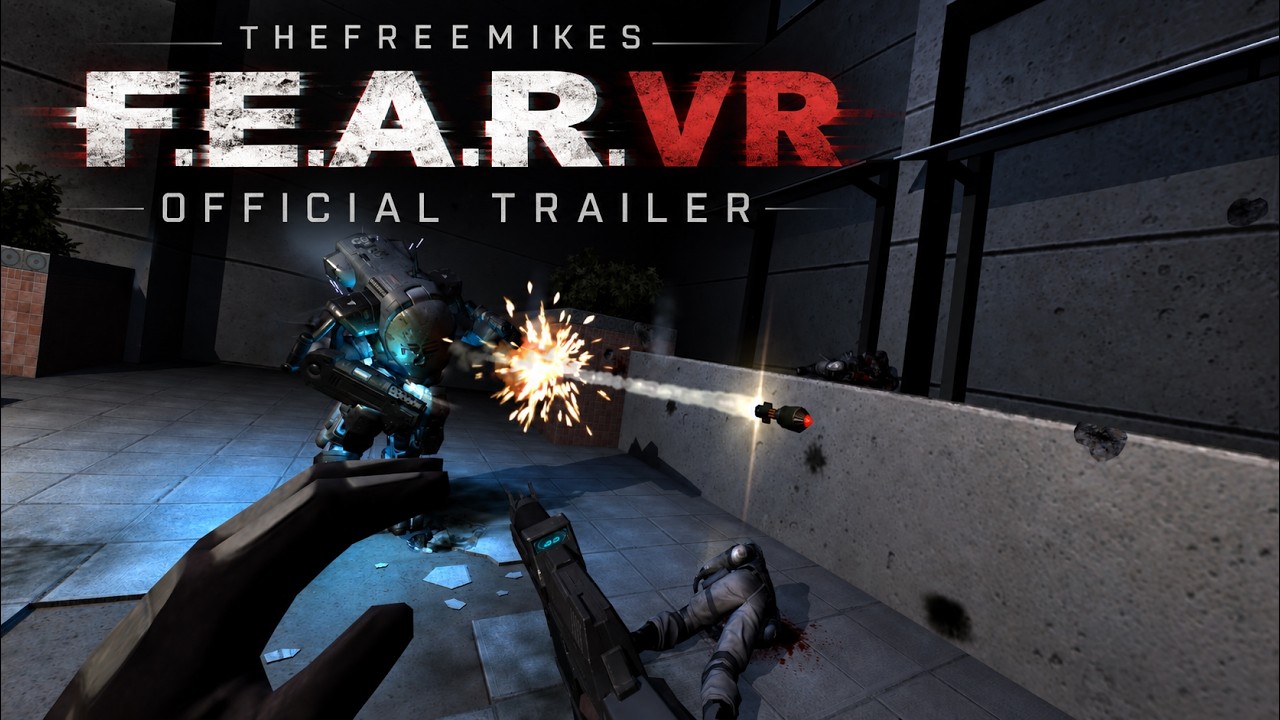
Slow-mo goes on your wrist
Every F.E.A.R. conversation ends up at slow motion. Your reflexes could stretch a firefight out until you could watch every round leave the barrel, every chunk of plaster come off the wall, every body fold. In 2005 that was the trick that made a corridor fight feel like a movie you were directing. It ran off a meter in the corner of the screen.
The mod moves that meter onto your arm. Version 1.8 added a redesigned wrist display that carries your ammo, health, armor, medkit and grenade counts and a slow-motion charge meter, so you check whether you have the reflexes to start a fight the same way you would check a watch. There is a tutorial card for slow motion that shows your mapped button once the ability is charged. If you own a bHaptics vest, the mod adds feedback for slow motion too.
Here is what I keep thinking about. On a monitor, slow-mo slowed down the picture. In a headset, it slows down a room you are standing in, while your head and hands keep moving at normal speed. I do not know yet what that does to the fight. I want to find out.
Your hands do the work
Reloading is manual, and it is weapon by weapon, which is the part that convinced me the mod is being built by someone who loves the guns as much as I do. You seat a magazine. You rack the weapon when it is empty, and a tactical reload skips the rack. The shotgun takes shells one at a time, then you let go, grab the fore-end and pump it. The Type-7 particle weapon wants its cell first and then the hammer. If you would rather not do any of that, there is a button-reload mode.
Guns live in holsters on your body. Tap the grip at a holster to draw, carry the gun with your hand relaxed, tap again to put it back, and dual pistols toggle one at a time. An optional Physical Weapons mode, which TheFreeMike labels a prototype, lets you hold a gun by the grip, drop it or throw it, catch it, and switch hands.
And the kicks are in. F.E.A.R. had a flying kick and a slide kick, and both are mapped to the jump stick: flick up to jump and flick up again in the air for the kick, or push forward and flick down twice to slide. Empty-hand melee works with an open hand or a fist.

The part my stomach cares about
I default to teleport whenever a game offers it, because smooth stick movement gets to me. F.E.A.R. VR does not offer it. You start in run mode, tap the stick to drop to a walk, and turn smoothly at 180 degrees a second unless you change it.
What it does give you is a decent comfort menu, with snap turning and a vignette, movement that can follow either your head or your controller, a separate mode just for ladders, and damage camera motion split away from explosion shake, so you can keep the big blasts and lose the jolt every time a Replica lands a hit on you. If you are built like me, go through all of it before your first fight. Not after.
Advertisement
What it does not cover yet
This is the original campaign only. Extraction Point, Perseus Mandate and multiplayer are outside the supported scope, and so is Linux. The only hardware TheFreeMike has physically validated is a Quest 3 with Touch controllers, and the README is blunt that a controller mapping is not proof a headset was tested.
Quest owners have two routes, Virtual Desktop with its VDXR runtime or Steam Link with SteamVR. Quest Link and Air Link are unsupported, even through SteamVR. Steam players should also know that level loads can take several minutes on the Steam version, which is why the README recommends GOG.
Why I trust this one
Mods for 20-year-old shooters have a habit of turning into a pile of DLLs and a prayer. This one comes with a security page. It says the mod has no telemetry, no updater, no downloader and no background service. Its Setup checks your game executable, verifies every file in the package against a manifest, backs up anything it replaces and can roll back a failed install.
The files are not Authenticode-signed, so Windows may show you a SmartScreen warning, and the install guide is upfront that this is a different thing from an antivirus program naming a threat. What the project does publish is a SHA-256 hash for every release, with instructions for checking it. VR.org checked the 1.8.3 zip and it matched. Inside are the installer, the mod's own libraries and its documentation. No game archives, no levels.
One more thing. There is a separate project called DR-89/fear-vr, which describes itself as open source and is a different mod entirely. TheFreeMike's README says not to mix files between the two. Everything below is for TheFreeMike's version.
How to play it
What you need: F.E.A.R. on your own Steam account ($9.99) or GOG's F.E.A.R. Platinum, a Windows 10 or 11 PC and a PC VR headset. On a Quest you also need Virtual Desktop or Steam Link. The mod is free.
- Make sure the flat game works. Start your unmodified copy once, load a level, then quit.
- Download the release. On the F.E.A.R. VR releases page, open Assets and grab both the fear-vr zip and its .sha256 file. Ignore GitHub's automatic Source code downloads; those are not the mod.
- Check the hash. In PowerShell, in the folder with the zip, run Get-FileHash -Algorithm SHA256 on it and compare all 64 characters with the .sha256 file. If they differ, delete it and download again.
- Extract it to a new folder. Keep the setup-files folder next to F.E.A.R. VR Setup.exe.
- Run Setup. Close the game, open F.E.A.R. VR Setup.exe, check that the game folder it picked contains the original FEAR.exe, then choose Install.
- Connect your headset. With Virtual Desktop, set VDXR as its OpenXR runtime and close SteamVR. With Steam Link or another SteamVR headset, set SteamVR as your OpenXR runtime in its settings.
- Launch F.E.A.R. VR.exe from the game folder. Not FEAR.exe, and not your old store shortcut. Pick a desktop view and press Play in VR. On Steam the first launch takes a moment to prepare the game's memory.
- Calibrate before you fight. Set your height, hands and holster positions under Options, then VR Settings. TheFreeMike's calibration and settings guide runs about 40 minutes and has chapters, so you can jump to the part you need.
Bugs go to the project's GitHub issues or its Discord, and the full written guides live on TheFreeMike's site. It is going on our VR mods guide with the same steps, next to Dead Space VR, which I wrote up this week.
Twenty-one years ago a Replica squad flushed me out from behind a desk with a grenade, and all I had to fight back with was a mouse, a keyboard and a meter in the corner of the screen. Now the meter goes on your wrist. I would love the chance to lose that fight again.
Advertisement