
For 233 days, every new NVIDIA Game Ready driver could freeze a Quest headset in the middle of a PC VR session. Driver 621.01 fixes it. NVIDIA published it on October 21, and the fix takes up one line of the release notes.
HardwareNovember 5, 2026
NVIDIA Ends a 233-Day Quest Link Freeze With Driver 621.01 as SteamVR 2.19.1 Sharpens Steam Link
By Alex Reeves
Staff Writer, VR.org
Advertisement

Meta's own support page dates the problem. "We observed an issue in NVIDIA graphics drivers, beginning with driver version 595.71 and onwards," it reads, "which causes Meta Horizon Link to freeze in the headset." NVIDIA's release notes for 595.71 are dated March 2. That is where the 233 days start.
It did not hit every NVIDIA owner, and it hit no one on other cards. Those who did saw the image lock in place with artifacts smeared across it, sometimes within minutes. Restarting the Meta Quest service on the PC was the only recovery, and it did not last. That account comes from The Ghost Howls, the XR blog run by developer Antony Vitillo, who flagged the fix on Thursday after living with the bug for most of the year.
His post lists two community workarounds. Rolling back to driver 591.86, from January 27, removed the freezes. Turning off Sliced Encoding made them rarer. Other streaming apps were unaffected, so plenty of owners simply stopped using Link. Vitillo moved to Steam Link, which on Quest has also run over a USB cable since a beta in September.
USB only, on paper
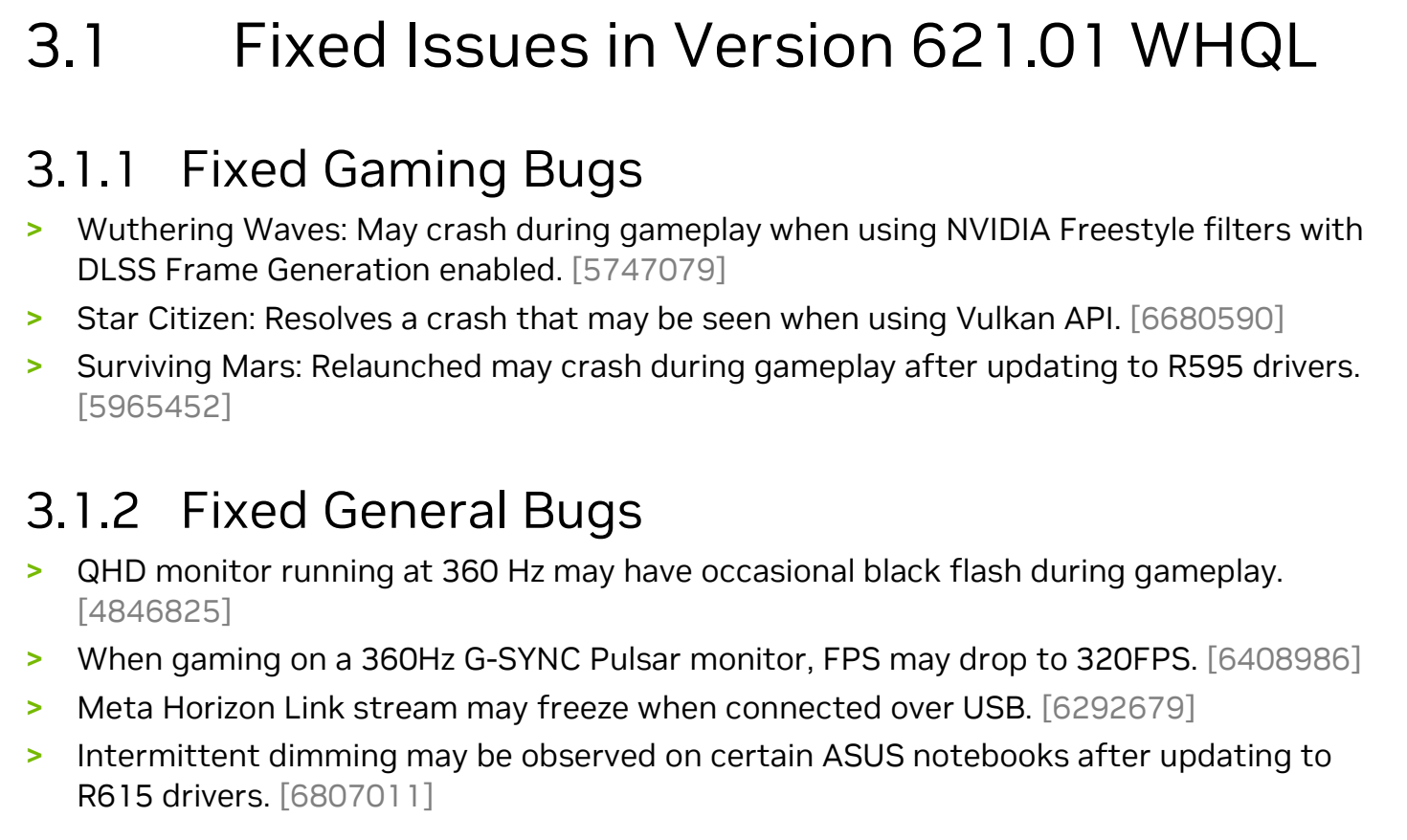
The entry is narrow. It reads, in full: "Meta Horizon Link stream may freeze when connected over USB." That is bug 6292679 in NVIDIA's 621.01 notes. Air Link, Meta's wireless mode, is not mentioned either way. Workstation cards needed their own build, and Vitillo, who runs one, had to wait for enterprise driver 621.14.
Meta has not caught up. As of Thursday its help page still links NVIDIA owners to "the last working driver that we recommend," one older build for laptops and one for desktops, with no mention of 621.01. Anyone who rolled back on that advice in the spring has had no prompt from Meta to move forward.
One caution from the same report. Vitillo later removed 621.01 again because it conflicted with software for a VR project he has to ship. A graphics driver touches the whole system, and the Link fix arrives with everything else in it.
Steam Link, sharper by default
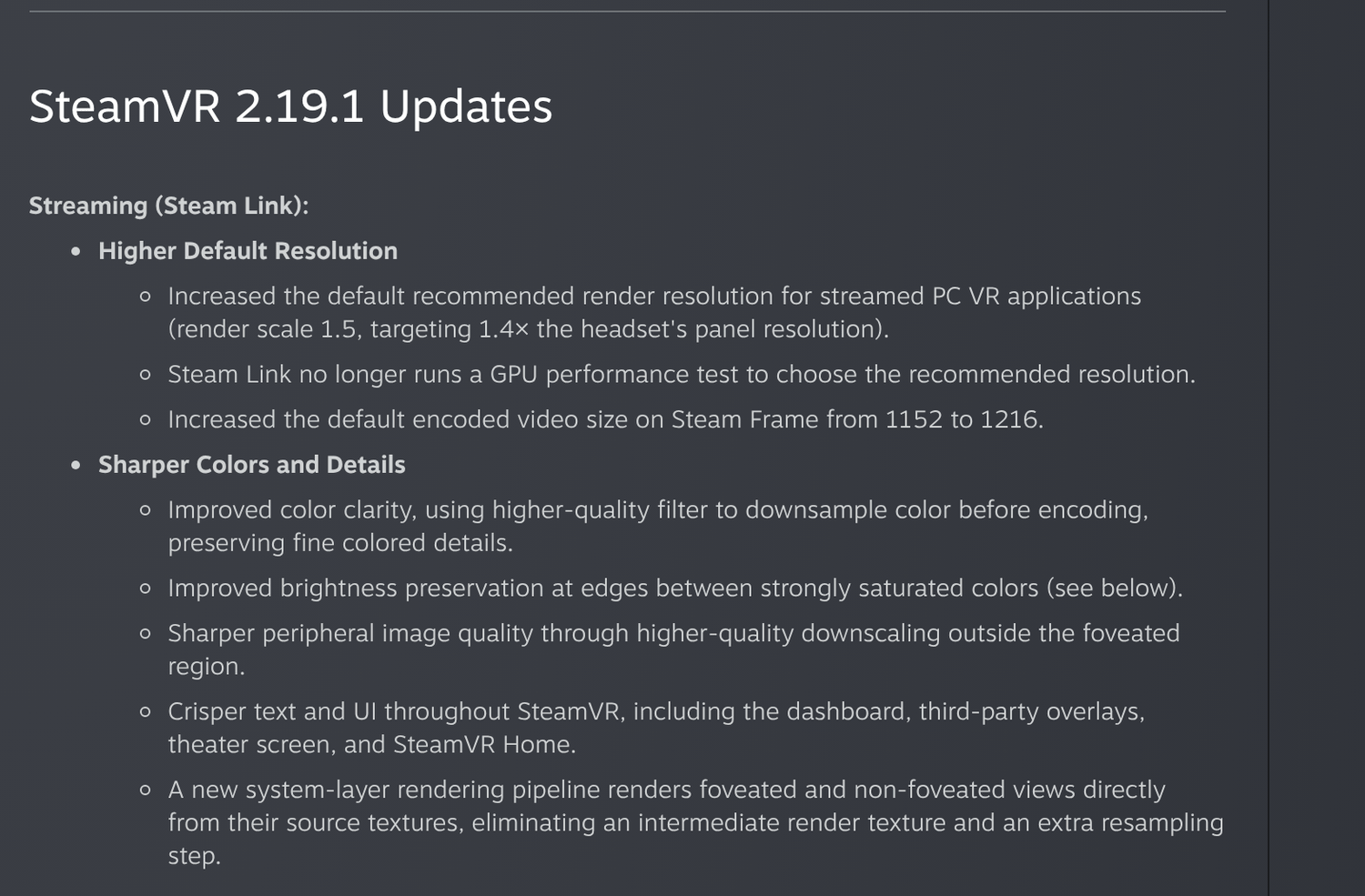
Valve's update landed on November 2 as a SteamVR beta. Version 2.19.1 raises the default render resolution for PC VR streamed through Steam Link to a render scale of 1.5, which Valve says targets 1.4 times the headset's panel resolution. It also stops running the GPU performance test Steam Link used to pick that number.
Owners of older cards should watch the second change. The default no longer checks what the GPU can carry, and Valve's notes do not say how a slower card copes with the new target. Settings changed by hand are preserved; Valve says to set them back to Auto to try the new defaults.
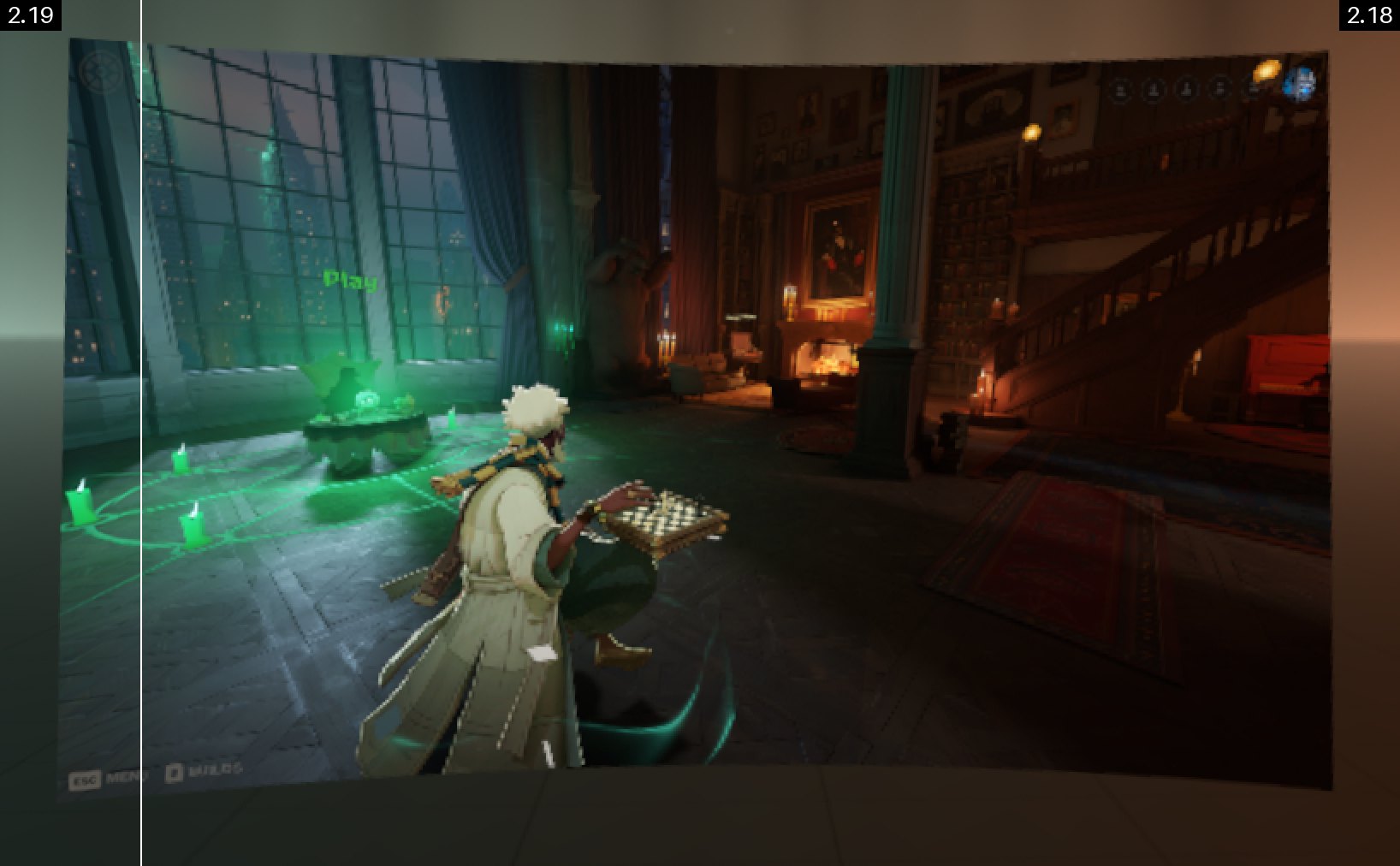
The rest is image processing. Color is downsampled with a higher-quality filter before encoding, which keeps fine colored detail intact. Edges between strongly saturated colors hold their brightness. Outside the foveated region (the sharp zone at the center of view, or wherever the eyes point on eye-tracked headsets), downscaling is cleaner. Text in the dashboard, third-party overlays, the theater screen and SteamVR Home should all read more crisply.
One line belongs to Valve's own headset. The default encoded video size on the Steam Frame rises from 1152 to 1216, a 5.6 percent step on that figure. The Frame uses the same Steam Link pipeline when it streams from a PC, so the rest of the list applies to it as well.
Further down: owners of eye-tracked headsets, the Frame among them, now get asked before SteamVR shares eye-tracking data with PC applications. Refresh rate can be overridden per game. Quest owners get a fix for a 72 Hz notice that stayed on screen in Battery Saver mode.
Valve also built in a way back. On the host PC, Steam Link > Advanced > Stream Quality offers Default or Legacy, and Legacy reproduces the old image. It is a rare changelog that ships a switch to undo its own headline feature, and a fairly confident one.
The 2.19.1 build is beta-only for now, and Valve's opt-in instructions are on its support site. For a Quest owner on an NVIDIA card, the decision is now short. Update to 621.01 or newer if Link has been freezing, then choose between Link and Steam Link on picture quality, not stability. For most of 2026 that was not an option.
Advertisement