
Microsoft's consumer headset story now fits inside one free app. Mixed Reality Link pairs a Meta Quest 3 or 3S with a Windows 11 PC and draws the desktop across virtual monitors, and it is what remains of the platform Microsoft launched in 2017 with headsets from Acer, Dell, HP, Lenovo and Samsung, then deprecated in December 2023 and stripped out of Windows 11 in version 24H2. The app's own blog on Microsoft's Tech Community posted four times in December 2024, while the public preview was rolling out, and then said nothing for 21 months. On Friday it posted again.
SoftwareSeptember 21, 2026
Mixed Reality Link Now Puts Your Meta Avatar in the Windows Camera List
By Jordan Kuo
Staff Writer, VR.org
Advertisement
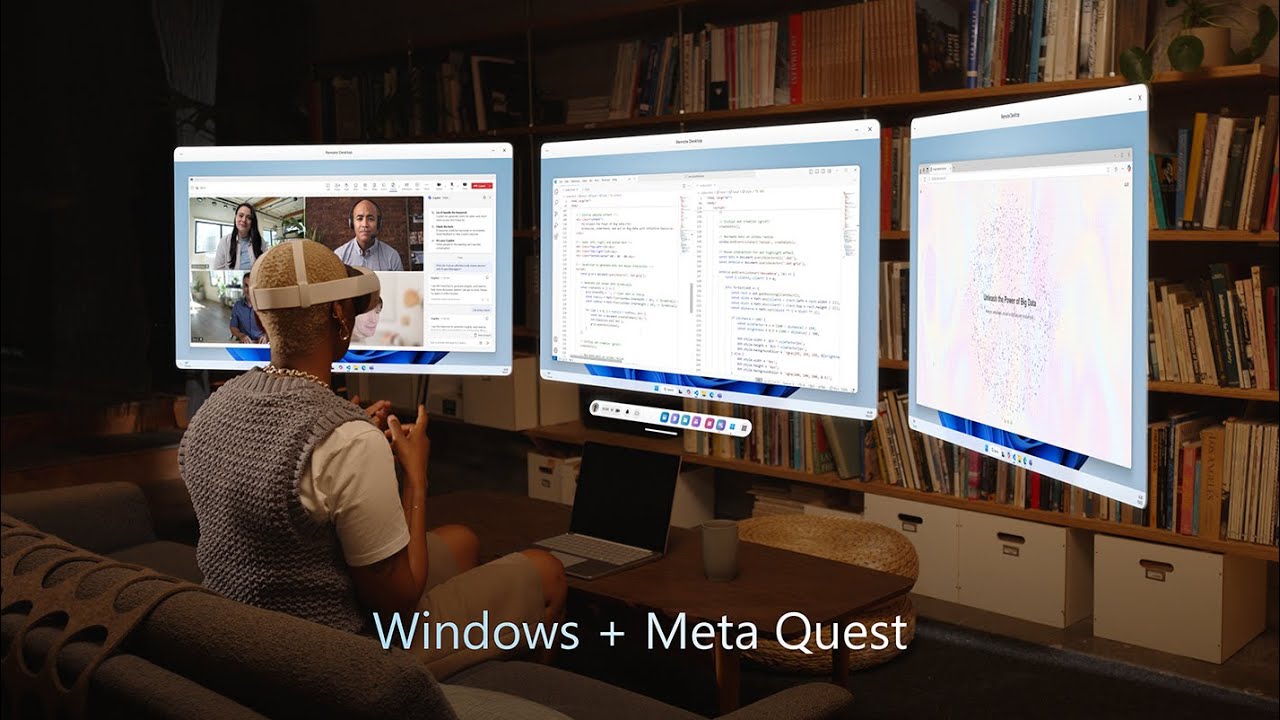
That post says Mixed Reality Link version 26.9105.9070.0 and later add three sources that can be "selected just like any other input device," and it lists them by name: Mixed Reality Link Microphone, Mixed Reality Link Passthrough, and Mixed Reality Link Avatar Camera. The first two do what the names suggest, handing the headset's microphone and front-facing camera to Windows applications, so a Teams call no longer needs a separate microphone plugged into the PC. The third lets a Quest owner appear in Windows as their Meta avatar, and it did not start life on Windows.
Horizon OS already had an avatar camera
Meta's documentation for the Passthrough Camera API, which gives Quest 3 and 3S apps the forward-facing cameras for computer vision and machine learning work, contains one line that reads differently this week: "While the CAMERA permission gives access to both passthrough and avatar camera, the HEADSET_CAMERA permission gives access only to the passthrough camera." An Android app on the headset that asks for the stock android.permission.CAMERA can already open an avatar feed as though it were a lens, which is the obvious way to give a phone-style calling app something to show on a device whose only cameras point away from the person wearing it.
Microsoft does not say whether its Avatar Camera is that same Horizon OS device carried across the link or a render of its own, and for anyone writing software the distinction matters less than where the feed lands. On Windows it sits in the same device list as the laptop's built-in webcam, so a Zoom or Teams desktop client can pick it up without anyone shipping new code, because choosing a camera from a dropdown is something every video app already supports. That makes it the second Quest capability this month to reach the PC by posing as ordinary hardware; wired Steam Link gets there by presenting the headset's USB port as a network adapter.
Meta's own routes to the same place are narrower. Its avatar SDK asks each app to integrate avatars itself, and the Hologram Calling frameworks that turned up in Horizon OS builds in August came with no public interface at all. A camera device is the loosest contract one company's software can sign with another's, and it has been used this way before. Snap Camera put Snapchat Lenses into Zoom calls and Twitch streams by showing up in the desktop's camera list, until Snap switched it off on January 25, 2023. Easy to reach, easy to withdraw.
Windows has no HEADSET_CAMERA

The split between the two Quest permissions is deliberate, and the same documentation classifies camera images as Device User Data covered by Meta's Developer Data Use Policy. Windows draws nothing comparable for most software. Microsoft's support page on camera access is blunt that "camera privacy settings for desktop apps can't be changed at an individual desktop app level." The desktop camera switch has to be on for a Zoom or Teams desktop client to see a webcam at all, and once it is, any Win32 program that enumerates cameras while the headset is connected will find Mixed Reality Link Passthrough beside the webcam. What that camera sees is the wearer's room.
Advertisement
The post describes no prompt on the headset before a Windows app starts pulling that feed, and no indicator for anyone else in the room. One may exist and simply not have made it into a short announcement. It is still the first thing an IT department should ask Microsoft before this goes anywhere near an office, and it is the same bystander question that has followed the capture LED on Meta's glasses all year.
November is the end for the old headsets

The timing is awkward for everyone Microsoft's first headset platform left behind. The entry on Microsoft's list of deprecated Windows features says existing Windows Mixed Reality devices "will continue to work with Steam through November 2026" for users who stay on Windows 11 version 23H2. After that, the platform gets no "security updates, nonsecurity updates, bug fixes, technical support, or online technical content updates." November ends ten weeks from today.
What has actually kept HP Reverbs and Dell Visors working on current Windows came from outside that roadmap. Oasis, a free SteamVR driver that Matthieu Bucchianeri published on Steam on August 29, 2025, runs Windows Mixed Reality headsets and their motion controllers natively through SteamVR with no Mixed Reality Portal involved, which is why it still works on 24H2. The Steam listing requires an NVIDIA card or an AMD card from the RX 5000 series onward, and Intel graphics are not supported. Anyone who ever shipped for Windows Mixed Reality now has a remaining install base that runs on a driver with one name in the developer field.
A Windows app on somebody else's headset
Microsoft has played this part before. Once Windows 10 Mobile was wound down, its phone strategy became Office apps on Android and iOS plus Phone Link on the PC, and Mixed Reality Link is the headset version of that move. Windows on Arm support reached the Microsoft Store in late August 2025 with no blog post, general availability followed on October 30, 2025 alongside Horizon OS v81, and Friday's release is the first to hand Windows the headset's own microphone and cameras.
Meta keeps a parallel bridge of its own. Horizon OS 2.7 renamed Remote Desktop to Virtual Display in August and gave Macs parity with Windows through Meta's own app, while Windows 11 pairing still runs through Microsoft's, as UploadVR laid out on September 8. The Microsoft half of that split is the one that just learned to carry an avatar.
Connect opens on Wednesday, and Meta reportedly plans to demonstrate photoreal avatar calls on the keynote stage. The stylized avatar reached the Windows camera list first, and it got there on Microsoft's code. If the photoreal version ships only inside Meta's own calling apps, a Zoom client on Windows will be able to show the cartoon and not the hologram.
Advertisement