
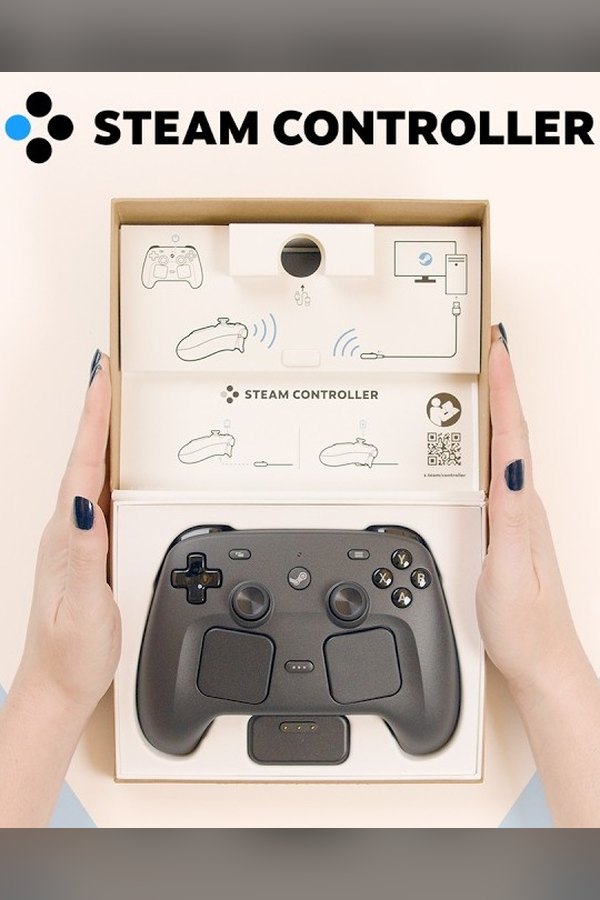
One sentence on Valve's Steam Controller page has been waiting since the Steam Frame went on sale on September 14. "Infrared LEDs make Steam Controller trackable by Steam Frame's cameras when you're immersed in VR," it reads. "Perfect for playing all of your non-VR games on a giant virtual screen."
GamingNovember 17, 2026
A Modder Got the Steam Controller Tracking on Steam Frame Before Valve Did
By Evan Marcus
Co-Founder, VR.org
Advertisement
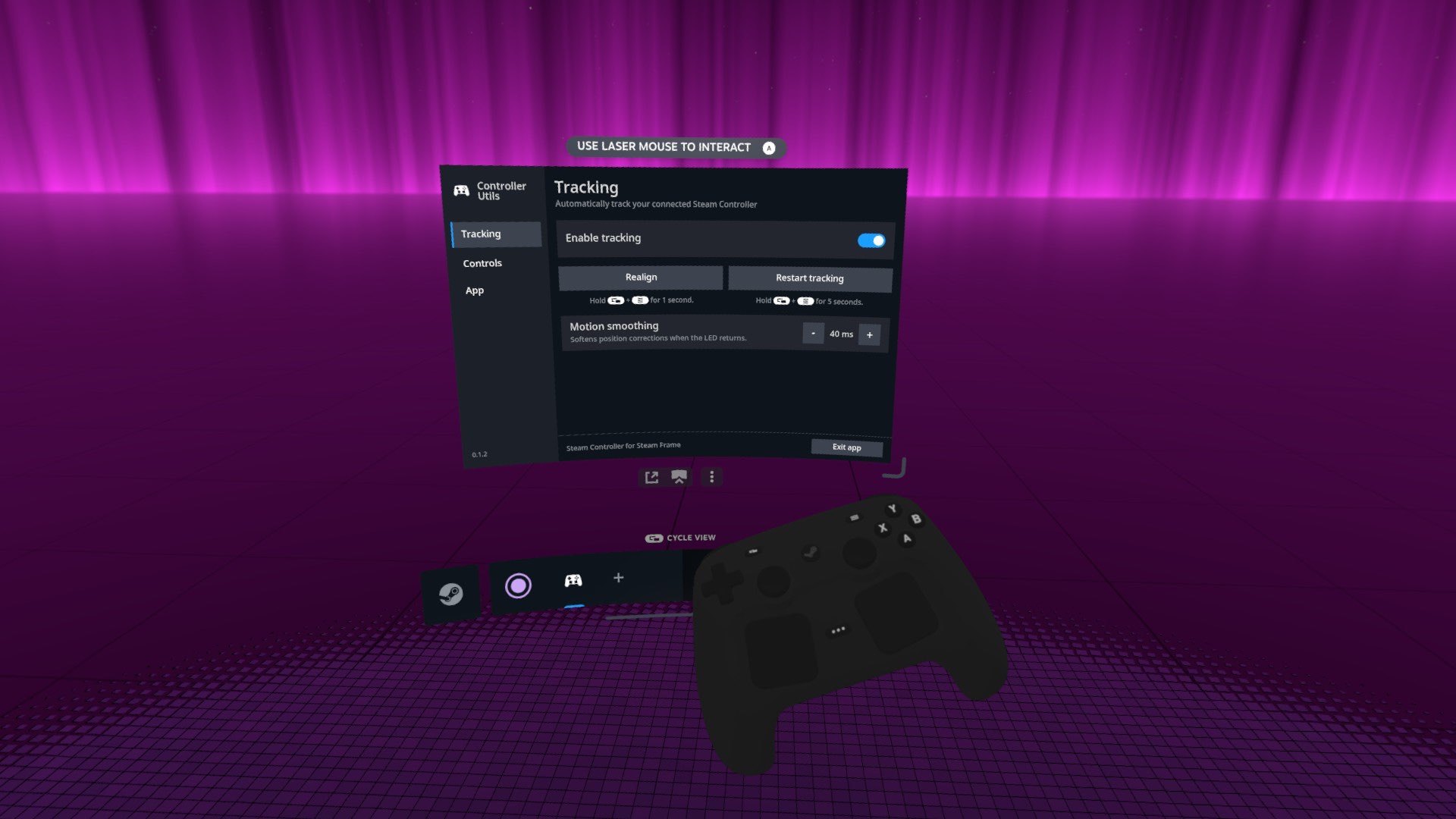
Nine weeks on, the Frame still does not do it. Not officially. A Reddit user who goes by Kalluts got tired of waiting, wrote a free tool called Controller Utils, and posted it to r/SteamFrame with a one-line explanation: "Valve still has not released their official tracking support for the Steam Controller, so I had to take the matters in to my own hands." The itch came from travel, Kalluts wrote: flat games on the Frame, and no decent way to drive Steam's menus with a gamepad. PC Gamer picked it up this morning. The repo went up on Friday, the first release landed Sunday, and a little after 8 AM Pacific today it reached its ninth, version 0.2.0.
I should say where I stand before going further. I am still on the 1TB Frame waitlist, no date, so I have not run Controller Utils myself, and everything below comes from the project's own README, its release history and Valve's pages.
What it does
Controller Utils pairs a 2026 Steam Controller with the Frame over Bluetooth, turns on the pad's infrared LED and lets the Frame's own tracking services find it. The cameras give it a position. The controller's motion sensor gives it an orientation. Put those together and a 3D model of the controller sits in your hands inside the headset, which sounds minor until you remember that a headset is a blindfold and a gamepad is a thing you mostly find by feel.
There is more in it than the store page ever promised. The right trackpad drives a cursor in Steam's menus, the left trigger right-clicks, and the on-screen keyboard can be typed on with both touchpads at once, a cursor per thumb. Double-tapping the Steam button flips passthrough. The Frame's own controllers keep tracking while all of this runs.
Why a gamepad in a headset at all
Because most of a Steam library is flat, and the Frame is perfectly happy to hang a flat game on a screen the width of your living room wall. For years the 2015 Steam Controller came out of my desk drawer for Civilization marathons on the couch. When the new one came out in May I wrote that it looked half-built for this: the couch, the headset, the library on a giant screen. Valve plainly thought the same, or there would be no infrared light in the shell.
Without tracking you have two options today. Switch to passthrough every time you lose a button, or play by feel and hope your thumb finds the d-pad and not a rear grip button. Both work. Neither is what the box copy describes.
One light, and the drift that comes with it
Valve's page says LEDs, plural. Kalluts's README says the tool works from one, and is upfront about the cost: tracking "can become unstable or drift when the LED is hidden from the headset's cameras." Hold the controller up in front of you with the light facing the headset and the position recovers. PC Gamer adds that the infrared shines through the spot where the controller's ordinary status light sits, so a skin on the shell does not block it.
PC Gamer quotes one Reddit user who wanted to know whether two of these, one swiped from a friend, could get them through Beat Saber. "I know it's stupid, but I needed to know." No. Kalluts explains why in the Reddit thread: the tool's SteamVR bindings "only cover Steam's UI," and with "one IR LED, so it won't be nearly as accurate as the Frame controllers but its good enough for a gamepad." That is the right expectation to bring. This is a gamepad you can see. It is not a motion controller and was never sold as one.
Advertisement
Valve's side of it
Valve has not said when its own version is coming, or why it is not here yet. Its October 9 Frame update post listed everything shipped since launch, from battery gains of up to 12 percent and a sensitivity setting for the presence sensor to a fix for streaming's "Error 17," and none of it touched the Steam Controller. I went back through every Steam Hardware post since the November 2025 announcement, plus the SteamVR and SteamOS update notes since launch. None of them mentions the controller's tracking. The promise lives on the product page and, as far as I can find, nowhere else.
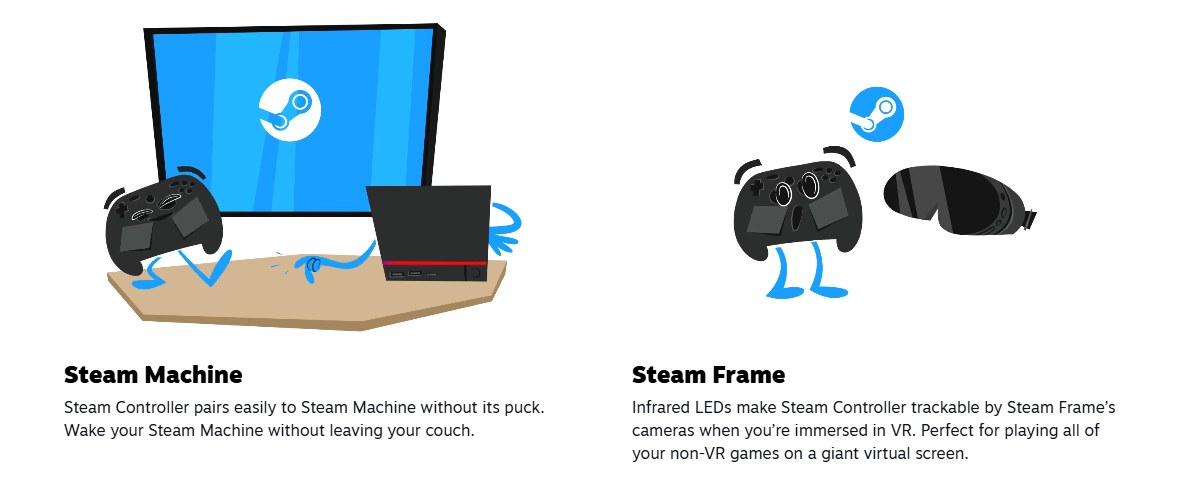
What Valve did do, and this is the part I keep coming back to, is leave the door unlocked. The November 2025 announcement said the controller, the Machine and the Frame "all work together, and all are optimized for Steam while continuing to operate as open platforms." That openness is why Controller Utils could exist at all. The Frame lets its owner open a terminal, install a driver and talk to the tracking stack, so a stranger's weekend project could ship ahead of the company that made the hardware. On a locked-down headset, Kalluts would have filed a feature request and waited.
I still want Valve to make this repo pointless, and I think Kalluts does too. Kalluts writes in the README, "I'll try to maintain this at least until Valve releases official tracking support for the Steam Controller." That is the right finish line for a project like this, and a slightly awkward one for a company that printed the feature on its own store page.
How to set it up
What you need: a Steam Frame on the Stable or Beta SteamOS channel, a 2026 Steam Controller, and a password on the Frame's user account. Controller Utils is free, its code is MIT licensed, and it is not affiliated with Valve.
- Set a password if you have never made one. The installer asks for it. Open a terminal on the Frame and run
passwdfirst. - Copy the install command from the project's own page. It is one line near the top of the Controller Utils README. It works out which SteamOS channel you are on, downloads the newest release, checks its signature and checksum before running anything, asks you to confirm, then restarts SteamVR for a moment.
- Open Controller Utils. It appears in the Frame's app drawer under the plus button, and from then on it starts with SteamVR unless you switch that off in its settings.
- Pair the controller and leave tracking on. Pair the Steam Controller with the Frame, keep Enable tracking switched on, and follow the prompts in the headset.
- Bring it back when it drifts. Hold the controller up with the light facing the headset. Holding View and Menu for one second realigns the heading, and holding them for five seconds restarts tracking.
New versions show up on the releases page, and the app can fetch them itself if you turn on automatic updates. The README also lists a one-line uninstall.
Some caveats, because you are giving a four-day-old project your password. It hooks directly into the Frame's tracking services, so a SteamOS or SteamVR update can break it until a fix ships, and the README says exactly that. It supports the Stable and Beta channels, and PC Gamer notes the Preview channel has not been tested. The signed releases make it a far more comfortable install than the usual forum-attachment mod, since the installer refuses any package whose signature does not check out, but a signature tells you who built a release. It does not tell you the release is bug-free. The project calls itself experimental. Take it at its word.
Until Valve ships its own version, the feature on that store page lives in somebody else's GitHub repo.
Advertisement