
AstroQuest is a free app that plays Astro Bot Rescue Mission, Sony's 2018 PlayStation VR platformer, on a Meta Quest 3 with no console and no PC attached. It gets there by running a PlayStation 4 emulator, a program that pretends to be the console, on the headset itself. The first build went up on GitHub on Saturday, October 3. Six releases later, on Wednesday morning, the Windows version had been downloaded 2,188 times and the Quest app 1,213.
SoftwareOctober 7, 2026
AstroQuest Plays Astro Bot Rescue Mission on a Quest 3 by Emulating a PS4, a PS VR and a Camera
By Nina Castillo
Staff Writer, VR.org
Advertisement
Road to VR reported the release on Monday. What follows comes from the repository, which is unusually candid. It gives you the frame rate, the catch, and the one question it refuses to answer.
Three machines, all faked
The emulator underneath is shadPS4, an open-source project that normally runs PS4 games on desktop computers. Those computers use the same x86-64 processor family as the console, so the game's code runs more or less directly. A Quest 3 cannot do that. Its Snapdragon chip speaks ARM, a different instruction set.
So AstroQuest builds on an ARM64 port of shadPS4 that folds in FEX, a translator that rewrites x86-64 instructions into ARM ones while the game runs. You may know the name. It is one of the layers Jordan Kuo described in August underneath Valve's Steam Frame, and one of the two x86 emulators inside the WinlatorXR build that put Half-Life 2 on this same headset. The emulator runs as a small Linux program tucked inside the Android app. It draws through Turnip, the open-source Vulkan driver for the Adreno graphics chip in the Quest.
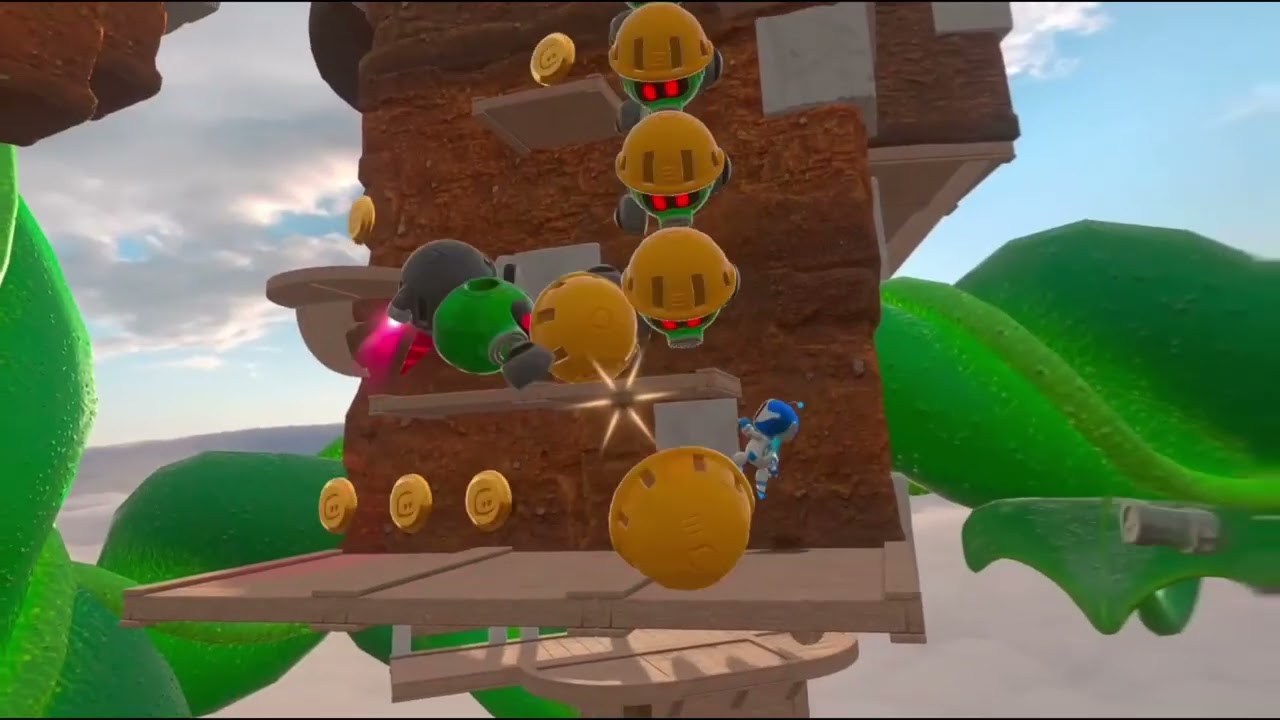
The part this project adds is the PlayStation VR. Rescue Mission expects a headset, a tracking camera and a controller that camera can see. You get all three in software. Your Quest's head position stands in for the PS VR visor. The Quest's hand tracking watches your hands around the gamepad you are holding and tells the game that is where the controller is. The headset's microphone covers the moments when the game wants you to blow on something.

30 frames a second, and the README says so
On a PS4 the game ran at 60 frames a second. On a Quest 3 by itself, the project's own table lists 30 in levels and 45 in lighter scenes, with the picture dropping as low as 816 by 870 pixels per eye. The README does not dress it up: "the headset's mobile GPU is pushed to its limits." It calls the whole thing a work in progress "built and tested by one person on one Quest 3 and one PC," with the first two worlds played through on the headset alone.
Half the frame rate caused a stranger bug than a choppy picture. The game counts time in frames. It moves its world forward a sixtieth of a second for each one it draws, so at 30 frames a second everything played in slow motion. The fix feeds the game the time each frame really took. That in turn knocked a few moving collision boxes out of place, which is why Tuesday's release 0.20 is mostly about an invisible wall at the end of level 2-1.
Advertisement
There is a second way in. Each release also carries a Windows build that runs the emulator on a PC and sends the picture to the headset through Virtual Desktop, at the console's full 60 frames a second and up to 3600 by 3840 pixels per eye. Through SteamVR it has been reported working on a Valve Index, a Bigscreen Beyond, a Pimax Dream Air and a PS VR2 on its PC adapter. Sony never brought Rescue Mission to PS VR2. A fan build now reaches one anyway, in the same week Sony's parent company turned up in patent office records selling head-mounted display patents to Meta.
Getting it running
The emulator updates every few days, and the AstroQuest guide keeps these steps current.
What you need: a Quest 3 with developer mode switched on, and a computer with either adb, Android's command-line tool for talking to a device over USB, or SideQuest, which does the same job with a window and a mouse. The Quest 3S has the same chip. The README says it should work and that nobody has tried.
- Get the app. Take the file ending in Quest3.apk from the project's releases page.
- Put it on the headset. Drag it onto SideQuest, or install it with adb.
- Copy your game folder across. It is named CUSA12392, it is about 13 GB, and the README gives the exact command and destination.
- Pair a gamepad, if you have one. A PS5 DualSense over Bluetooth is the closest match to what the game expects, and since release 0.18 the Quest's own Touch controllers play it too.
- Launch it. The app shows up in your library under Unknown Sources as Astro VR Host. It asks for the microphone the first time it starts.

The question it will not answer
The app contains no game. You need your own copy of the European release, version 1.00 or 1.04, taken off your own PlayStation 4. Buying it again will not help. The game is still $19.99 on the PlayStation Store, but a store download is encrypted, and the README says only a package made from a console dump can be unpacked. Making that dump means running unofficial software on the console, which in practice means a jailbroken PS4.
The README used to say more about that. As of release 0.20 its answer to "How do I get the game onto my computer?" is one sentence: "This project gives no information on how to get games, and this repository does not include any game data." VR.org will not fill the gap. Any site handing out those 13 GB is handing out a pirated copy, and you have no way to check what else is in the folder.
What makes the project worth following is the paper trail. The license is GPL, the same as shadPS4's, and a notices file lists every borrowed component with a link to its source. Seventeen issues were filed in four days and twelve are closed. Three pull requests from a contributor called ODevStudio are merged, among them SteamVR and Valve Index support. Thirty-nine of the 51 commits carry a co-author line for Claude, Anthropic's AI model, which goes some way to explaining six releases in four days. If you have the PC for it, start there. That is where the frame rate is.
Advertisement