
Mod guide Half-Life 2
How to Play Half-Life 2 in VR: Install Guide, Episodes, Controls and Fixes
Last updated: October 27, 2026
A living guide, updated as the mod changes. For the story of its Steam Frame certification, see our August 6 piece.
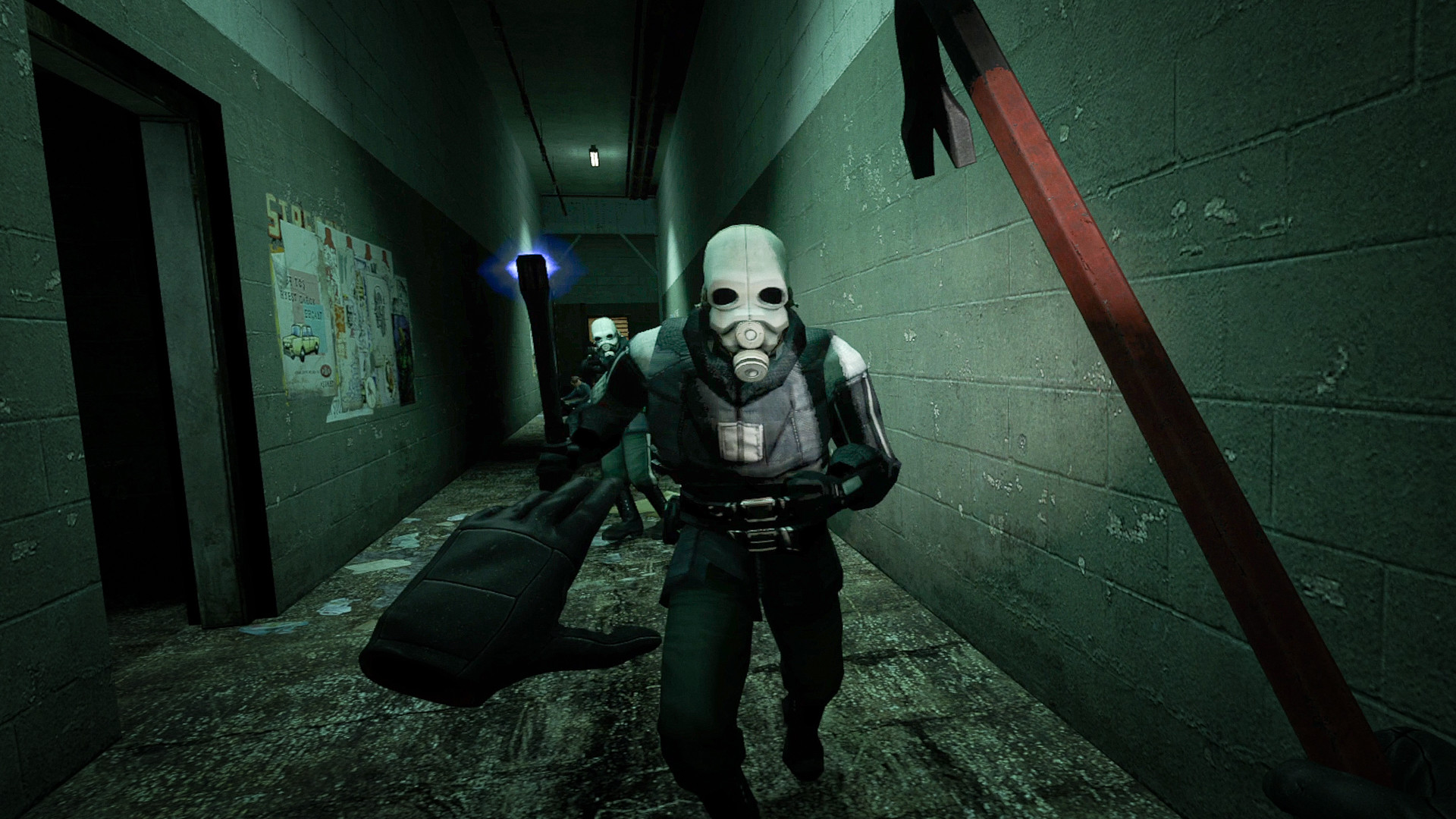
Half-Life 2: VR Mod is a free, fan-made VR version of Valve's 2004 shooter, built by the Source VR Mod Team and published on Steam by Flat2VR Studios. It plays the whole campaign with motion controllers: you swap magazines by hand, throw grenades with your arm and pick a weapon from a wheel that floats at your hand. It is free on Steam for anyone who owns Half-Life 2, which lists at $9.99, and Episode One and Episode Two have their own free VR versions. Valve rates it Verified for the Steam Frame. On October 27, 2026 its English Steam reviews were 97 percent positive across 5,564.
| Half-Life 2: VR Mod | |
|---|---|
| Price | Free. You need Half-Life 2 on your own Steam account ($9.99) |
| Made by | Source VR Mod Team, published by Flat2VR Studios, not Valve |
| Released | September 16, 2022. Episode One March 17, 2023, Episode Two April 6, 2023 |
| Headsets | Any headset SteamVR supports. The team has tested Index, Quest, Vive, WMR and Pimax |
| Steam Frame | Verified for the mod and Episode One. Episode Two is not rated yet |
| Disk space | 3 GB for the mod, 6 GB for Episode One, 10 GB for Episode Two |
| Latest update | A new build on October 1, 2026, without notes. Last patch notes August 4, 2026 |
The mod at a glance, checked October 27, 2026.
What you need
Half-Life 2 itself, on your own account. All three VR store pages carry the same line: "You must own the original Half-Life 2 (family sharing is not sufficient). You do not need to have the non-VR version installed." Owning Half-Life 2 also covers both episodes in VR. You need SteamVR, which is free, and a Windows PC with a VR headset.
The store lists a minimum of an Intel Core i5-4590 or AMD Ryzen 1600, 8 GB of memory and a GeForce GTX 1060 or Radeon RX 580, and recommends an 8th-generation Intel or Ryzen 3000 processor, 16 GB and a GTX 1080 or RX 5700. The processor matters more than the numbers suggest. The team's manual says the mod relies heavily on single-thread performance and calls an Intel 10th generation or Ryzen 5000 chip ideal.
How to install it, step by step
Tick steps off as you go. Your progress stays on this device, so you can follow along on your phone at the PC.
- Own Half-Life 2 on Steam. Half-Life 2 has to be in your own Steam library. The mod's store page puts it plainly: you must own the original game, Family Sharing is not enough, and the flat version does not need to be installed.
- Install SteamVR. SteamVR is free on Steam. Start it once with your headset connected so it can finish its own setup.
- Install the VR mod from Steam. Open the Half-Life 2: VR Mod store page and install it. It is free once Steam sees Half-Life 2 on your account. If you bought the game a moment ago, wait a little and restart Steam.
- Connect your headset. Any headset SteamVR supports will do. On a Quest, connect to the PC first with a Link cable, Air Link or Virtual Desktop.
- Launch it from your Steam library. Press Play on Half-Life 2: VR Mod. SteamVR starts with it and the game opens in the headset.
- Set comfort before the first level. Turning starts as 30 degree snap turns and movement is smooth. If you are new to VR, open the options first and set the vignette, teleport movement or seated mode before you leave the train station.
The mod is a normal Steam listing, so it updates itself, saves to Steam Cloud and has its own achievements. Get it from Steam and nowhere else. There is nothing to download from a website.
The episodes
Episode One and Episode Two are separate free installs from the same team, and Half-Life 2 on your account unlocks both. They take 6 GB and 10 GB. Each keeps its own SteamVR controller bindings, so a layout you made for the main game does not follow you. The team's how-to page explains how to copy it: duplicate the steam.app.658920 bindings file in Documents\steamvr\input, change the app number in its name and edit its app_key line to match.
One install trap is worth knowing. If Episode Two complains that it cannot find the game executable, the team's known issues page says to uninstall all three, install Episode Two first, then reinstall the other two.
On the Steam Frame
Valve's compatibility data rates the mod Verified for the Steam Frame, after a test on August 3, 2026 that passed all four of its checks, and recommends running it through Proton, which is how the Frame plays Windows games on the headset itself. Episode One is Verified too, from a test on September 2. Episode Two has no Frame rating yet. The team marked the moment with an August 4 update that added Frame controller bindings and "significantly improved performance on lower-end CPUs". If your hands or aim sit at an odd angle on a Frame, a team member on the Steam forums points to the controller angle slider in the options. More on the headset is on our Steam Frame page.
Controls
These are the defaults from the team's manual with the right hand as your main hand. Left-handed mode swaps them, and every binding can be changed in SteamVR.
| Control | Does |
|---|---|
| Left stick | Move, smooth by default. Click it to sprint |
| Right stick left or right | Turn, in 30 degree snaps by default |
| Right stick up or down | Jump, or toggle crouch |
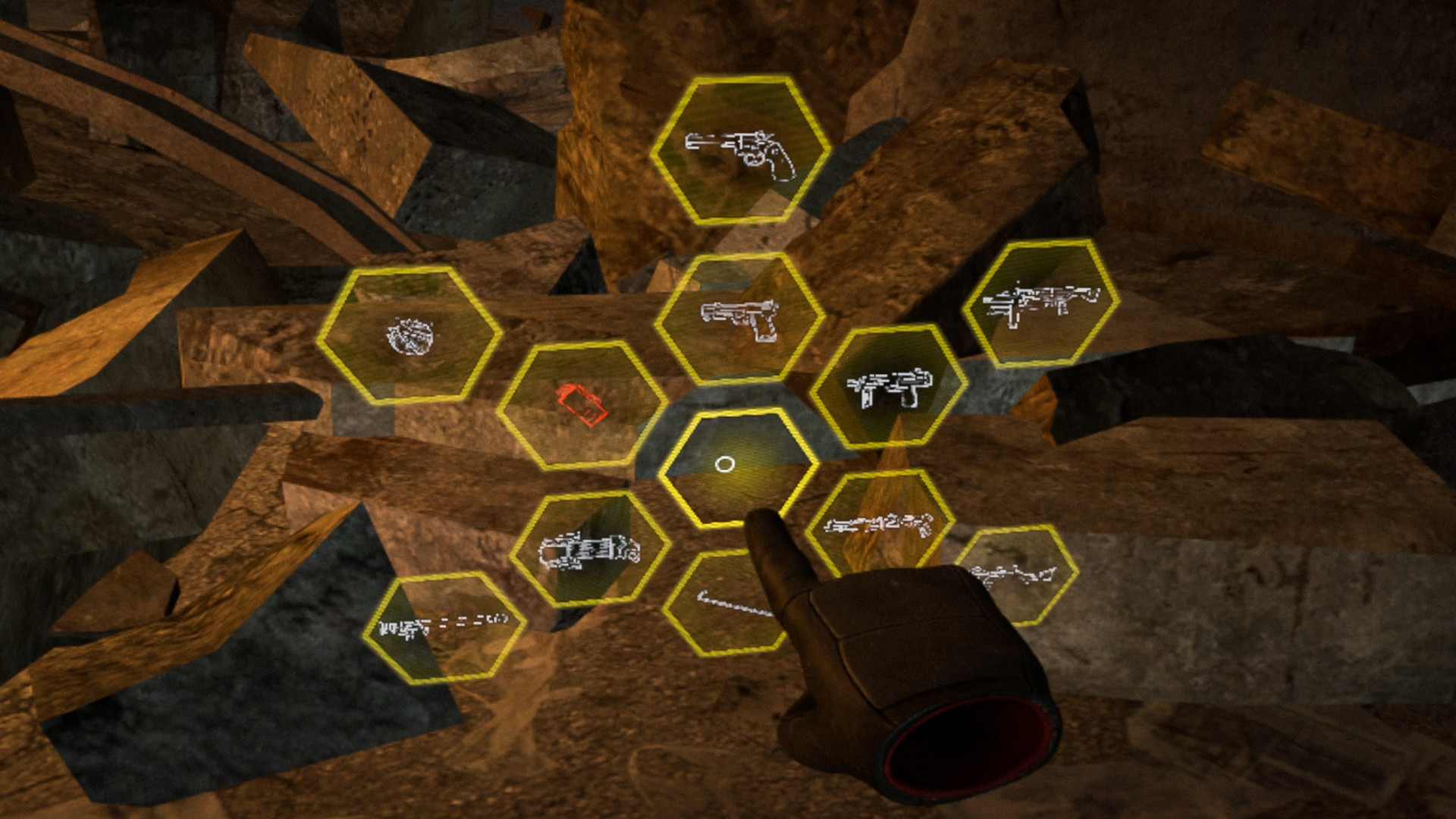
| Hold the right stick (touchpad on Index) | Weapon wheel: move your hand onto a weapon and let go |
| Trigger | Fire. Right B is alt-fire |
| Right A | Drop the magazine. Grip at your shoulder with the other hand for a new one |
| Grenade | Hold the trigger, throw, let go. Hold alt-fire for an aiming arc |
| Flashlight | Press Use near or in front of your head |
| Vehicles | Right trigger accelerates, left trigger brakes, left stick steers |
Default controls, right hand as the main hand, from the team's manual.
Comfort: vehicles and VR legs
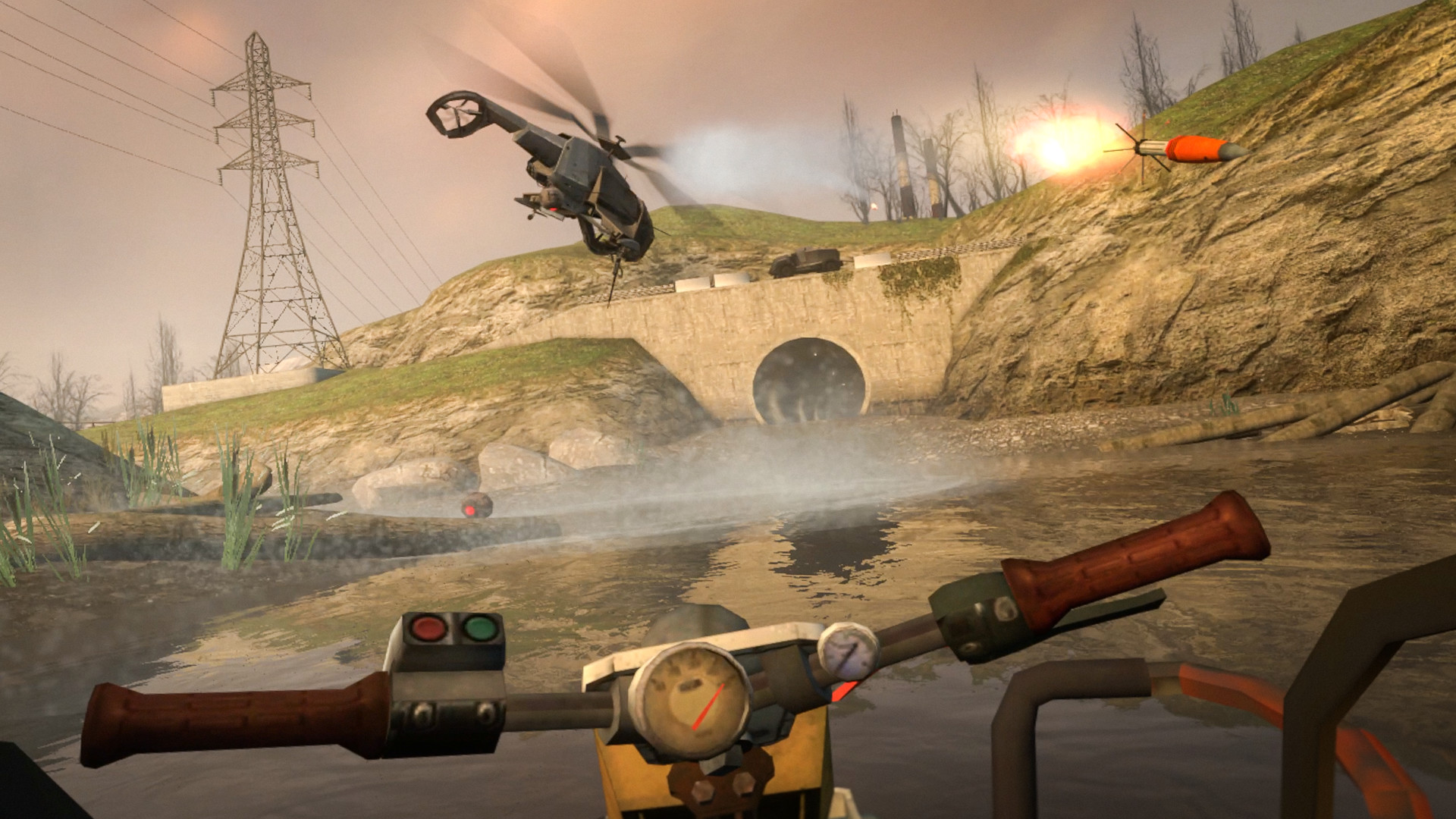
The team's FAQ is honest about the hard part: "The vehicle sections require strong 'VR legs'. However, there are some additional comfort options available to help you survive them!" The airboat and the buggy move you without your body moving, which is what upsets a stomach.
In a vehicle the camera can keep a fixed horizon, which is the default, or switch off comfort, decouple from the vehicle, sit in third person, teleport along behind it, or show the drive on a flat screen in front of you. Getting in and out can use a quick fade instead of the animation. Elsewhere there is a vignette, two teleport modes (teleport only, or teleport in place of jump), a seated mode that you set with Recalibrate view on the pause menu, an adjustable world scale and full left-handed support.
If it will not start
Start with the team's own first step for every problem: update Windows, Steam, SteamVR and every graphics driver, including a laptop's integrated graphics, then reboot. If that does not do it:
| Problem | Fix |
|---|---|
| Steam will not let you install the mod | Half-Life 2 must be on your own account; Family Sharing does not count. If you just bought it, wait a little and restart Steam |
| It crashes on launch | Switch between SteamVR's stable and beta versions, make a laptop use its dedicated graphics card, and close MSI Afterburner and RivaTuner |
| Failed to initialize OpenVR | Install SteamVR and start it before the game |
| It runs on the monitor but not in the headset | Check which graphics card the headset is wired to, and launch with -vrdev rather than -dev or -console |
| You have sunk into the floor | You toggled crouch. Pull the stick down again |
| Slower since a recent update | A developer suggests a dxvk.conf file in the install folder containing dxvk.enableGraphicsPipelineLibrary = False |
| Episode Two cannot find the game executable | Uninstall all three, install Episode Two first, then the other two |
Common problems and fixes, from the team's known issues page and developer replies on Steam.
The dxvk.conf tip is from a developer reply in the mod's Steam forum on October 16. Bugs go to the team's feedback tracker, and help is on the Flat2VR Discord, which the team links through flat2vr.com.
Mods, custom maps and the 3.0 beta
The mod supports the Steam Workshop, and the team expects custom maps and texture or model mods to work. Anything with its own code will not: "if the mod includes its own custom DLLs, expect it to not work." Loose custom content goes in the hlvr\custom folder inside the install. Black Mesa is not compatible. The team is also building a version 3.0, nicknamed TNG, with better visuals; its how-to page calls it a work in progress with no date, and it is reachable only as a password-protected beta branch whose code the team posts there.
Version history
The team does not publish version numbers. The milestones, oldest first:
- Sep 16, 2022 Half-Life 2: VR Mod releases free on Steam.
- Feb 2023 Teleport movement arrives, per the team's FAQ.
- Mar 17, 2023 Episode One's VR version releases as its own free download.
- Apr 6, 2023 Episode Two follows.
- Apr 14, 2023 A workaround for AMD crashes, and crossbow bolts pin enemies to walls again.
- May 7, 2023 A sight on the AR2, vehicle throttle moved to the triggers, and a fix for AMD crashes with MSAA.
- Oct 22, 2023 Fixes for crashes on level changes and save loads.
- Dec 8, 2023 Physical hands that collide with the world (you can turn them off), ProTubeVR support and a stutter fix that mostly helps AMD cards.
- Apr 21, 2024 Left-handed mode stops the weapon jumping to the wrong hand when you pull the slide.
- Aug 4, 2026 Steam Frame Verified, with Frame controller bindings, a real scope for the crossbow, steadier aim with both hands on it, and better speed on slower CPUs.
- Oct 1, 2026 A new build for the mod and both episodes, published without notes.
More VR mods we have set up
Every mod we have covered, with the steps and a difficulty rating for each, is on our best VR mods page.
- Mod guideGunman Contracts, the Half-Life: Alyx mod
- Mod guideDiablo II: Resurrected in VR
- Mod guideTitanfall 2 in VR
- Mod guideAstro Bot Rescue Mission on Quest 3
Frequently asked questions
Is the Half-Life 2 VR mod free?
Yes. Half-Life 2: VR Mod and its Episode One and Episode Two versions are free on Steam. You need the original Half-Life 2 on your own Steam account, $9.99 at list price. Family Sharing does not count, and the flat game does not need to be installed.
Can I play Half-Life 2 VR on a Quest 3 without a PC?
No. The team's FAQ says a PC is required. A Quest 3, Quest 3S or Quest 2 works as the headset when connected to that PC with a Link cable, Air Link or Virtual Desktop.
Does Half-Life 2 VR work on the Steam Frame?
Yes. Valve's compatibility data rates the mod and its Episode One version Verified for the Steam Frame and recommends running them through Proton, the way the Frame plays Windows games on the headset itself. Episode Two has no Frame rating yet. The team added Frame controller bindings in its August 4, 2026 update.
How do I play the Half-Life 2 episodes in VR?
Episode One and Episode Two have their own free VR versions on Steam, separate from the main mod. Owning Half-Life 2 is enough for both. Each keeps its own SteamVR controller bindings, so custom bindings from the main mod do not carry over unless you copy the bindings file.
How do I stop feeling sick in the vehicle sections?
The team's FAQ warns that the vehicle sections need strong VR legs. The default fixed horizon helps, and the options add a vignette, a third-person camera, a teleporting camera and a mode that shows the vehicle sections on a flat screen in front of you.
Can I play Half-Life 2 VR seated or left-handed?
Yes to both. Turn on seated mode and use Recalibrate view on the pause menu to set your height. Left-handed mode swaps every control to the other hand.
Do Half-Life 2 mods and custom maps work in VR?
Often. The team says custom maps and texture or model mods are expected to work, and the mod supports the Steam Workshop. Anything that ships its own code (custom DLLs) will not. Black Mesa is not compatible.